Accelerating early Linux boot with Yocto multiconfig
By Paul Le Guen de Kerneizon
Introduction
In embedded products, cutting seconds, or even hundreds of milliseconds, from power‑on to application readiness is often critical. In this article, I will present a practical workflow to measure, compare, and iteratively reduce the early boot window of a Linux embedded system, limited to the kernel and initramFS part. We will be using the Yocto project, and especially the BitBake’s multiconfig feature.
Setting the context
Nowadays, modern embedded system boot sequence share the same boot-up sequence:

- The board firmware looks for any bootable device (USB key, hard drive, etc), and loads a valid Linux bootloader.
- The Linux bootloader is configured to load a Linux kernel image, with custom arguments.
- Finally, the Linux kernel boots and set up the rootfs.
NOTE: This schema is voluntary over simplified, and there are many ways to implement how a Linux system boots, depending of your product constraints.
For this article, I will consider a very simple Linux BSP architecture, using separated initramfs and rootfs images. This kind of layout is interesting to implement security features such as Secure Boot (rootfs authentication before load) and various others (file system check, A/B updates, etc). It applies to any kind of modern architecture (x86, ARM), excluding specific vendor boot sequence.
Our target BSP is composed of the following Yocto images: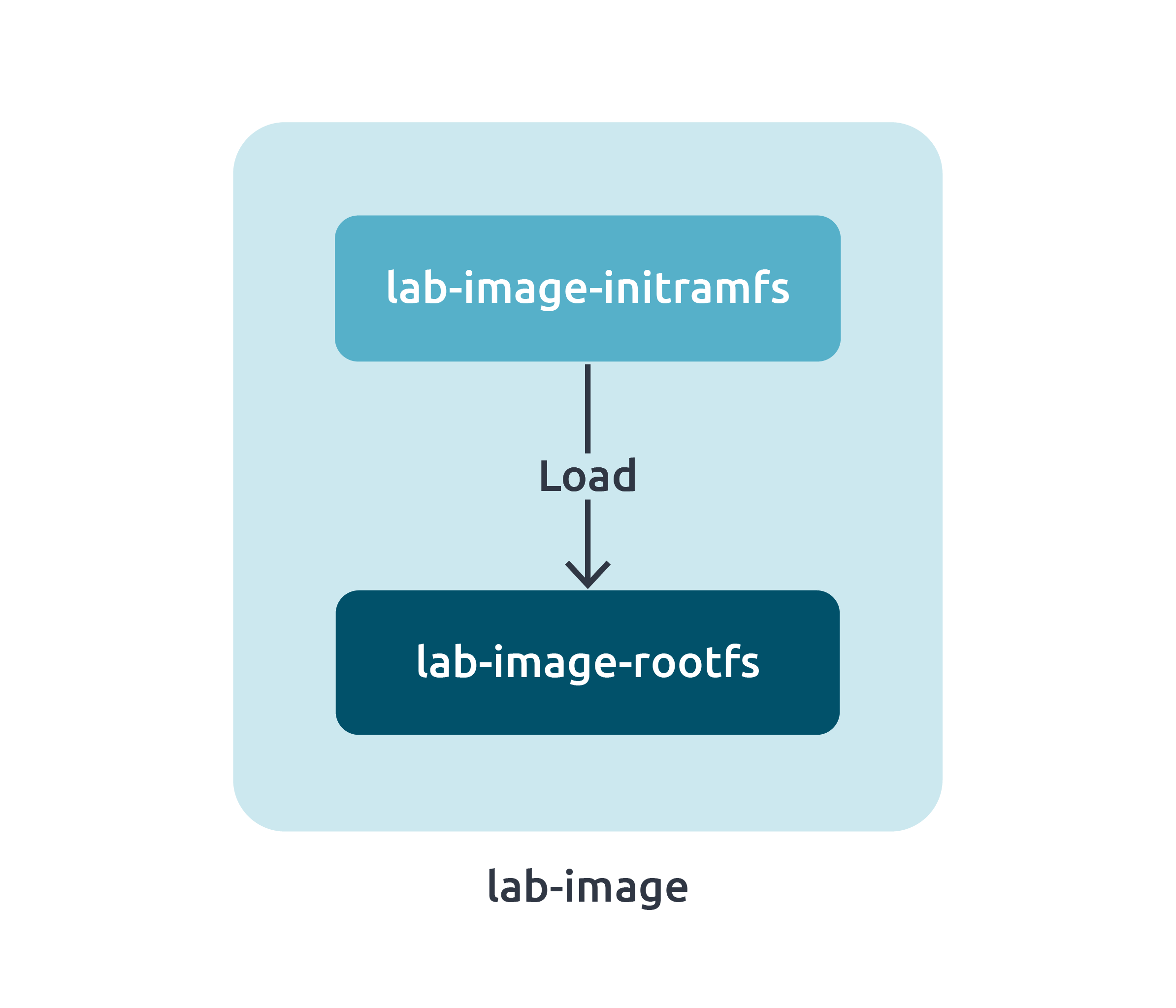
- lab-image-initramfs: this image contains the initramfs root file system, that will be responsible of the Linux first stage boot, including the load of the final rootfs. It is a very simple image, based on the core-image-minimal-initramfs image.
- lab-image-rootfs: this image contains the final rootfs, packaged in a read-only file format such as ext4 or squashFS.
- lab-image: this image packages the previous images into a single image, with an embedded Linux bootloader.
InitramFS optimization
As we saw previously, the initramfs image is loaded by the Linux bootloader. In embedded systems, I/O with devices such as disks are slow, and one of the most time consuming element is the initramfs image loading by the bootloader. So, reducing the size of this image will help to reduce it loading time, and so, the global system boot-time.
Initial measurements
We need to establish first what weight the most in the generated initramfs image. To do so, we are going to use the Bitbake buildhistory feature allowing to give some metrics about the contents of our generated image. It can be enabled by adding these lines in your distro file:
# Active buildhistory
INHERIT += "buildhistory"
BUILDHISTORY_COMMIT = "1"
After building initramfs image, buildhistory has been generated:
build/buildhistory/images/lab/glibc/lab-initramfs-image
├── build-id.txt
├── depends.dot
├── depends-nokernel.dot
├── depends-nokernel-nolibc.dot
├── depends-nokernel-nolibc-noupdate.dot
├── depends-nokernel-nolibc-noupdate-nomodules.dot
├── files-in-image.txt
├── image-files
│   └── etc
│   ├── group
│   └── passwd
├── image-info.txt
├── installed-package-info.txt
├── installed-package-names.txt
├── installed-package-sizes.txt
└── installed-packages.txt
We are interested in by the installed-package-sizes.txt file. It contains the size of each installed package in the initramfs image, sorted by weight:
├14450 KiB grub-common
5221 KiB libcrypto3
4254 KiB libc6
3301 KiB grub
2774 KiB udev
...
Using an awk command we can get the total size of our initramfs image:
$ awk '{sum += $1} END {print sum}'installed-package-sizes.txt
38689
Here, the size of our image is about 39MiB.
To measure the boot-time on the target we highly recommend, if possible, to get the boot serial output and use the minicom timestamp feature.
$ minicom -D /dev/ttyS0 -b 115200 -8 -O timestamp=extended
NOTE: we don’t recommend using printk timestamps as an accurate method to measure boot-time, as printk call themselves increase boot-time, and these timestamps are not available outside the kernel load (e.g. during initramfs load).
List of Initramfs optimizations
On a first glance, we could interpret that there are not that much to optimize in our initramfs image, specially because it is already well minimized by the core-image-minimal-initramfs image. But some optimization can be implemented that can make the difference:
- Changing the default C library from glib to musl library.
- Changing the default initmanager from sysvinit to busybox-mdev.
- Removing any additional unused packages.
Introducing Bitbake multiconfig feature
By default, a single Bitbake command can only build an image with a single configuration (distro, machine). Since the Langdale release of the Yocto Project, the multiconfig feature allows to easily apply different configuration within a single distro, for multiple images.
In our case, we would like to use the musl library and eudev init manager only for the lab-image-initramfs image, and not the rootfs image.
Setup a basic multiconfig
First, you need to add a new folder named “multiconfig” in the “conf” directory of your layer. In this folder, add a new file with the name of your multiconfig, in our example “mclabinitramfs”.
sources/meta-lab-distro/
├── conf
│   ├── distro
│   │   └── lab.conf
│   ├── layer.conf
│   └── multiconfig
│   └── mclabinitramfs.conf
NOTE: For the moment you can keep this file empty.
Now in your distro file (here lab.conf), add the following line:
BBMULTICONFIG = "mclabinitramfs"
We now have a basic multiconfig implementation, which currently does nothing.
Link the multiconfig to the initramfs
The usecase of the multiconfig here is to apply specific configuration boundared only to the lab-image-initramfs image. So we need to tell to Bitbake this dependency. To do so, add the following lines in your distro file (here lab.conf):
INITRAMFS_NAME = "lab-image-initramfs"
INITRAMFS_MULTICONFIG = "mclabinitramfs"
INITRAMFS_DEPLOY_DIR_IMAGE = "${TOPDIR}/mclabinitramfs/deploy/images/${MACHINE}"
These lines specify two things:
- INITRAMFS: the name of the initramfs used.
- INITRAMFS_MULTICONFIG: tells to Bitbake that the kernel must be bundled with an initramfs image using a specific multiconfig and not the default one.
- INITRAMFS_DEPLOY_DIR_IMAGE: the location where all the initramfs artifacts (images, etc) should be deployed.
NOTE: Make sure your build system does not set a static deploy directory! When using multiconfig, Bitbake dynamically change the value of the DEPLOY_DIR variable depending the configuration used for a package. Indeed, some package will now be built twice (one for the default configuration, the other for our mclabinitramfs config). Using a static deploy dir value could cause Bitbake to be confused if files appears in both within the deploy directory.
Optimization
Use musl libray
musl is a C library for the Linux kernel. The main advantage of the musl library is that packages compiled with it are much lighter compared to packages build with glibc. However not all packages are compatible with musl library, especially for systemd, where musl support is still experimental. This is why I don’t recommend to use for all the images, in particular the rootfs image.
Back to our multiconfig, musl library can be enabled using the TCLIBC variable, set in the sources/meta-lab-distro/conf/multiconfig/mclabinitramfs.conf file:
TCLIBC = "musl"
Use a lighter init manager
By default, Bitbake uses sysvinit as the default initialization manager. It is great, but it can be easily improved by using mdev-busybox which is lighter compared to sysvinit. To use it, simply add these lines in the sources/meta-lab-distro/conf/multiconfig/mclabinitramfs.conf file:
INIT_MANAGER:libc-musl = "mdev-busybox"
VIRTUAL-RUNTIME_init_manager:libc-musl = "busybox"
# Needed only if your distro uses systemd
DISTRO_FEATURES:remove:libc-musl = "systemd"
Additional optimizations
To reduce further the size of the initramfs image, additional optimizations can be implemented, but are less applicable:
- Use sh instead of bash as command interpreter, as sh is lighter compared to bash. Initramfs scripts are written using sh syntax, but keep in mind that you might need to convert your own script to the sh syntax if needed.
- Kernel configuration minimization (unneeded file systems, etc)
Final results
With these optimizations, if we compute the size of the initramfs image, we get now a size of 29MiB, and so a reduction of 25%!
Now regarding the real result on target, it will also depends of the hardware used (CPU, disk type, etc). On our internal tests, on an ARM target we achieved to get 1.2s of boot-time reduction during initramfs image loading.